
Watch a demo
A four-minute tour of the console, on a working rink.
Every screen below is the real product on a seeded two-sheet rink, captured through a real sign-in. Scroll through, then book a live walkthrough with your own building in mind.
Step 1
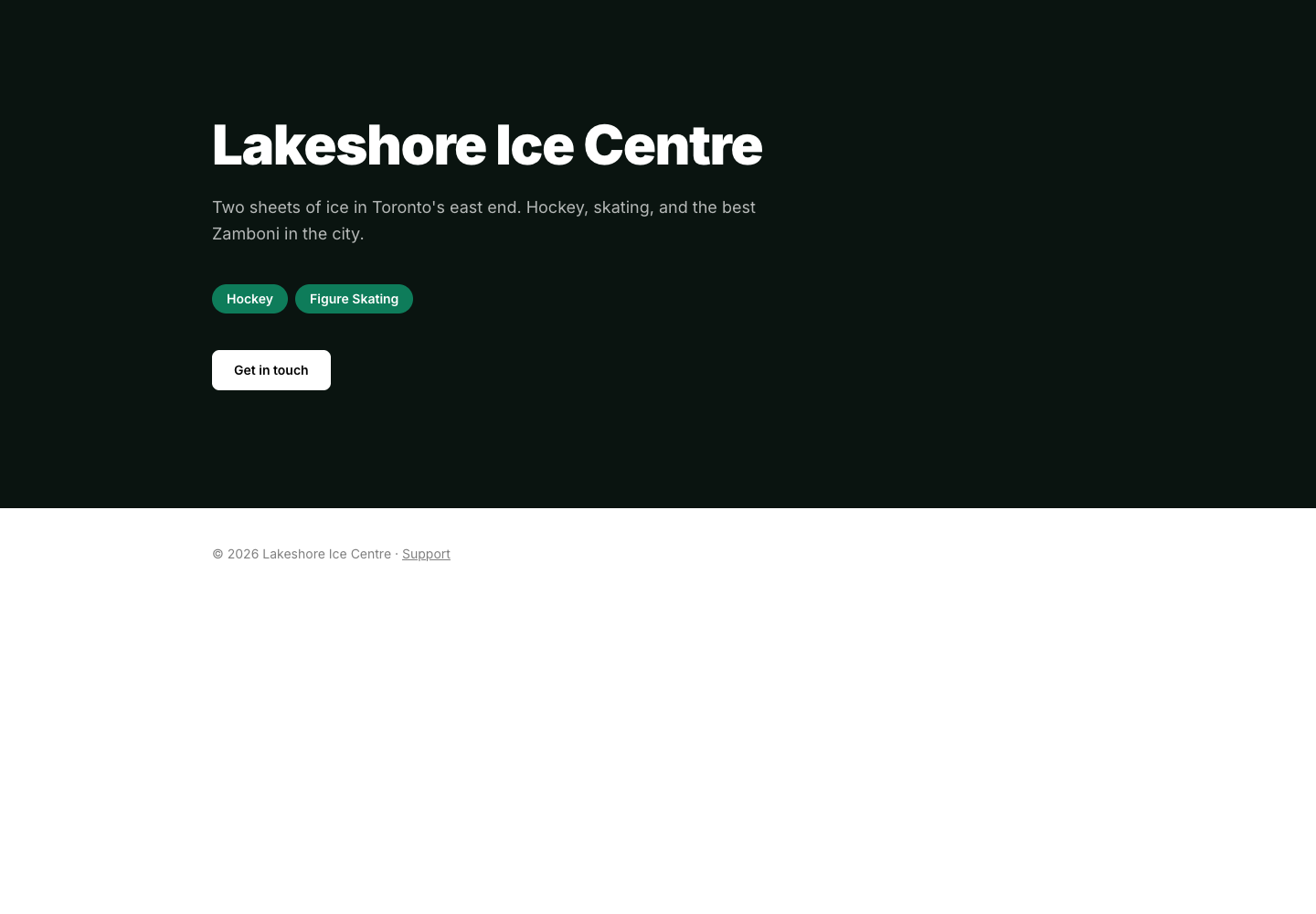
Your members arrive at your address
Lakeshore Ice Centre's own front door: their name, their tagline, their sports, their colour. Nothing of ours.
Step 2
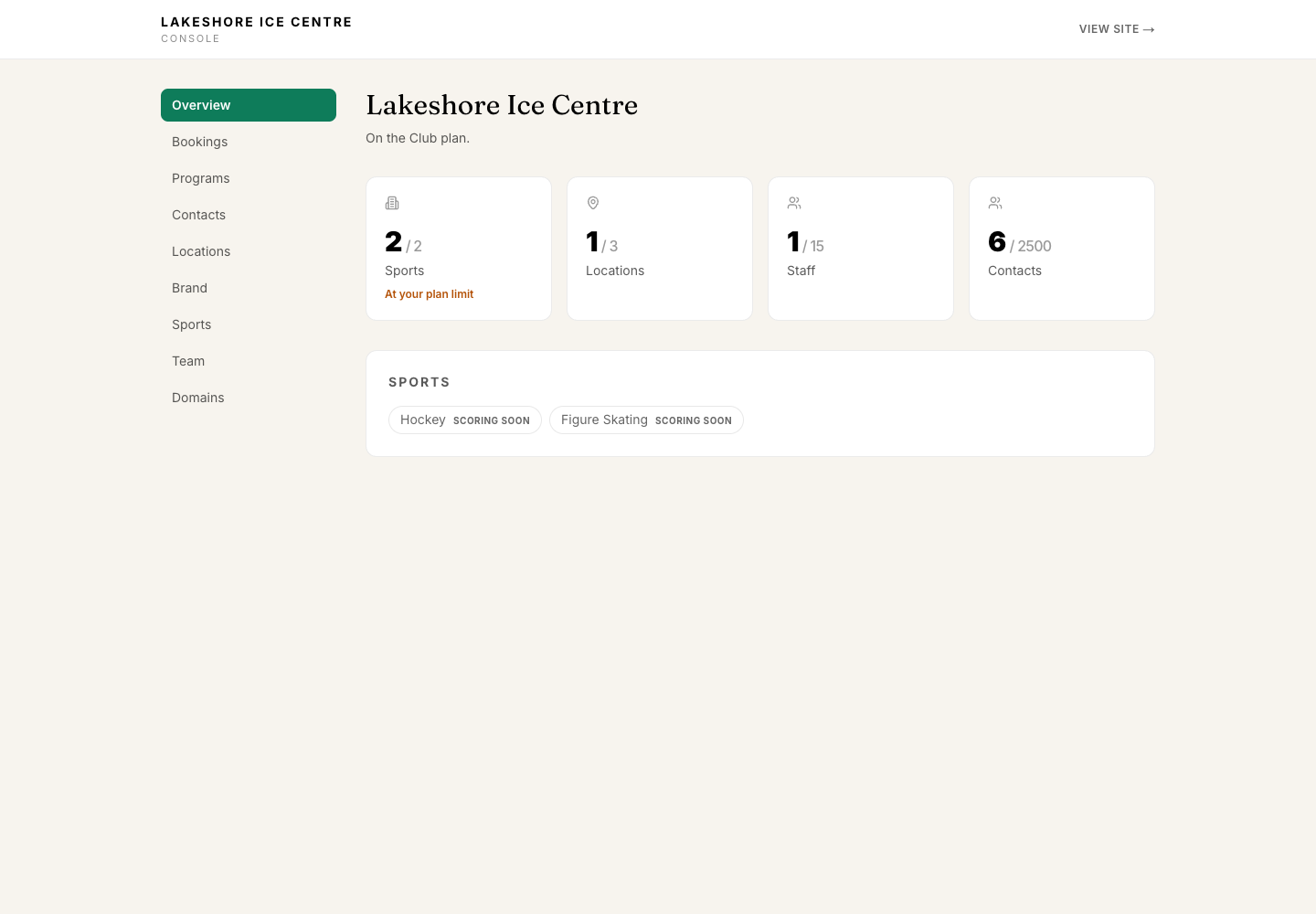
The console: usage against your plan
Sports, locations, staff and contacts against the plan's ceilings, read from the same rows billing uses. Sports without a shipped scoring engine say so.
Step 3
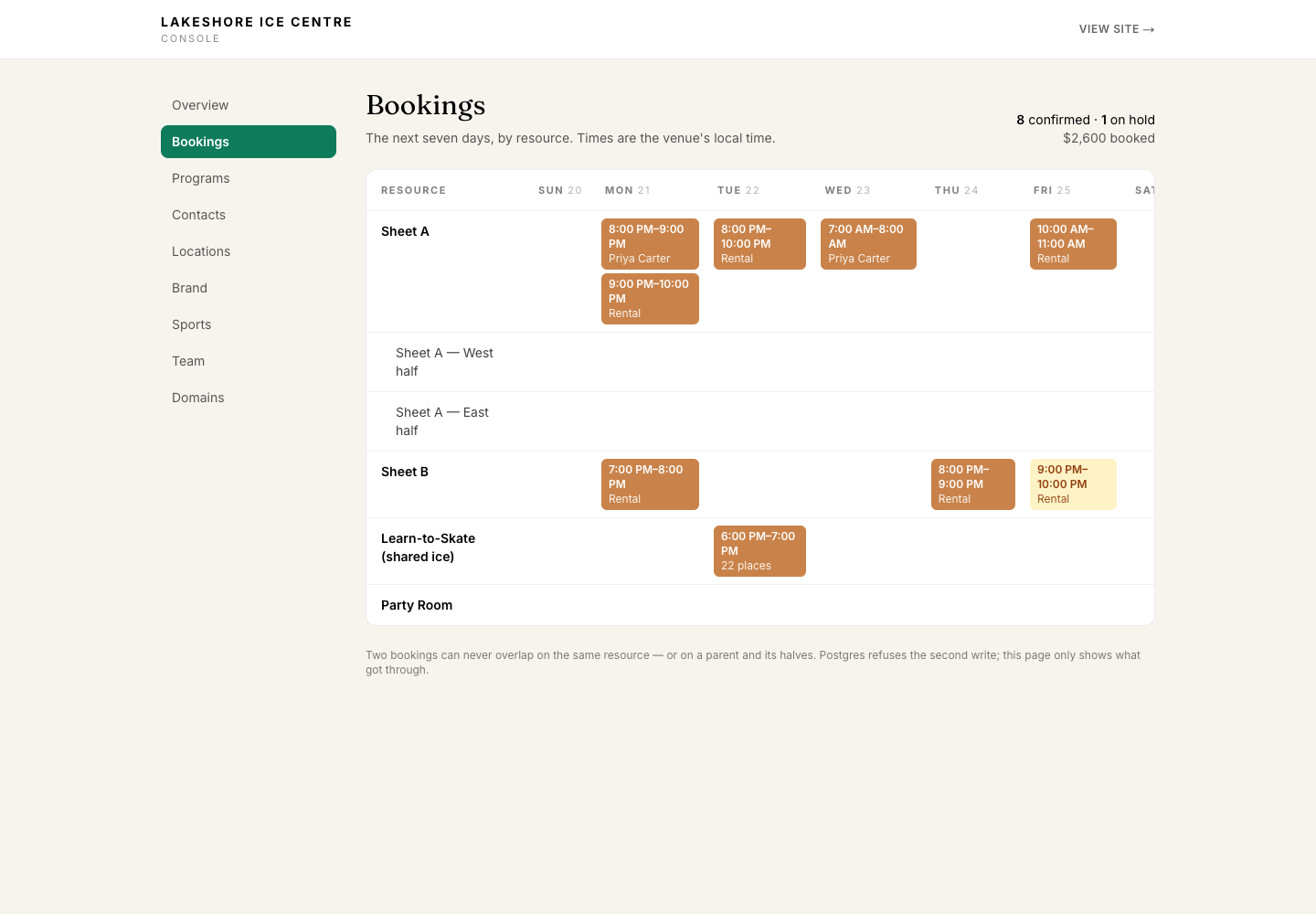
Bookings by resource and day
Half-sheets sit under Sheet A because that tree is why a half-ice booking collides with a whole-sheet one. The amber slot is a hold that expires on a timer.
Step 4
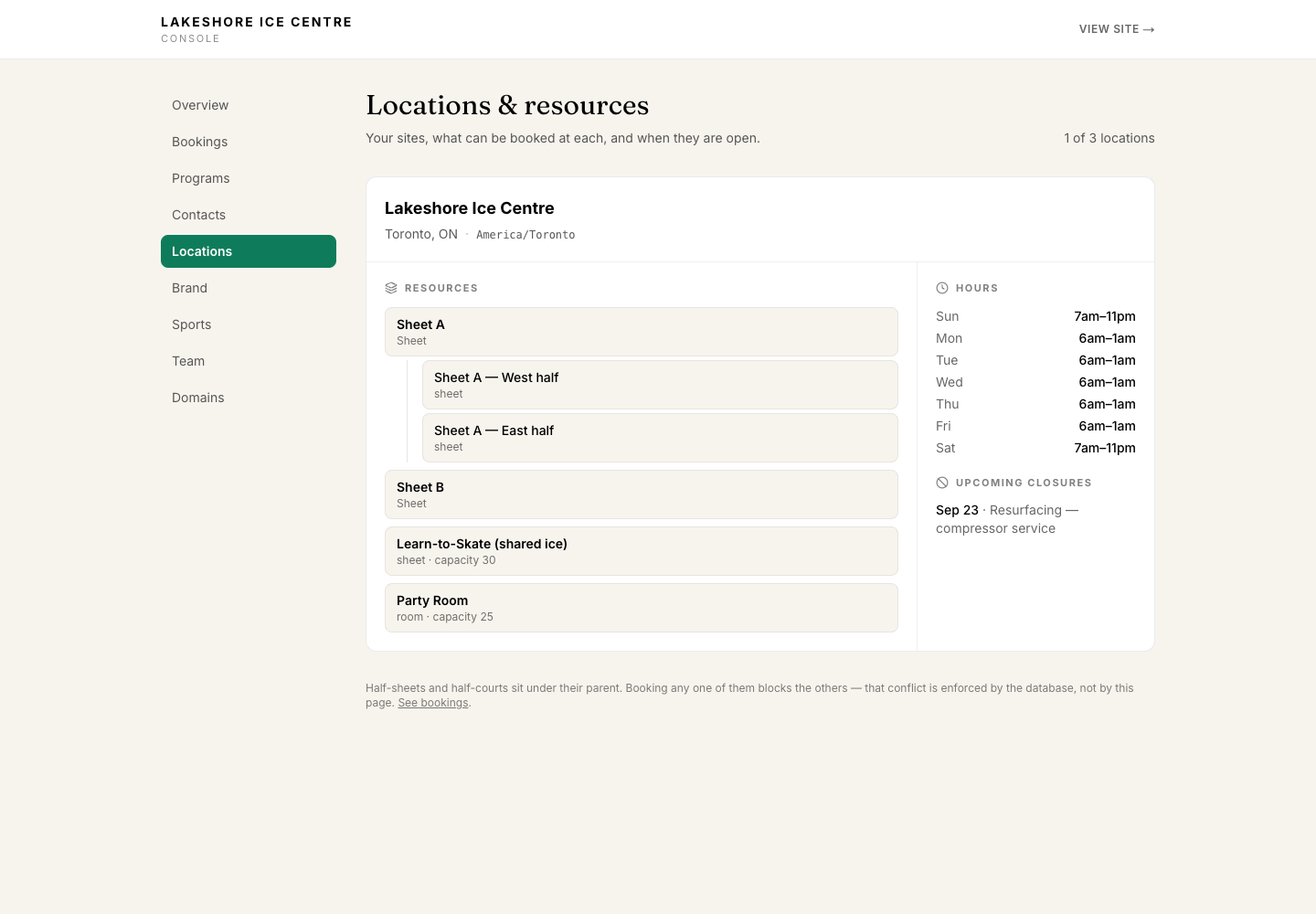
Locations, resources, hours, closures
Hours that cross midnight are one window, the way the manager entered them. A resurfacing closure on Sheet B is listed in Toronto's clock.
Step 5
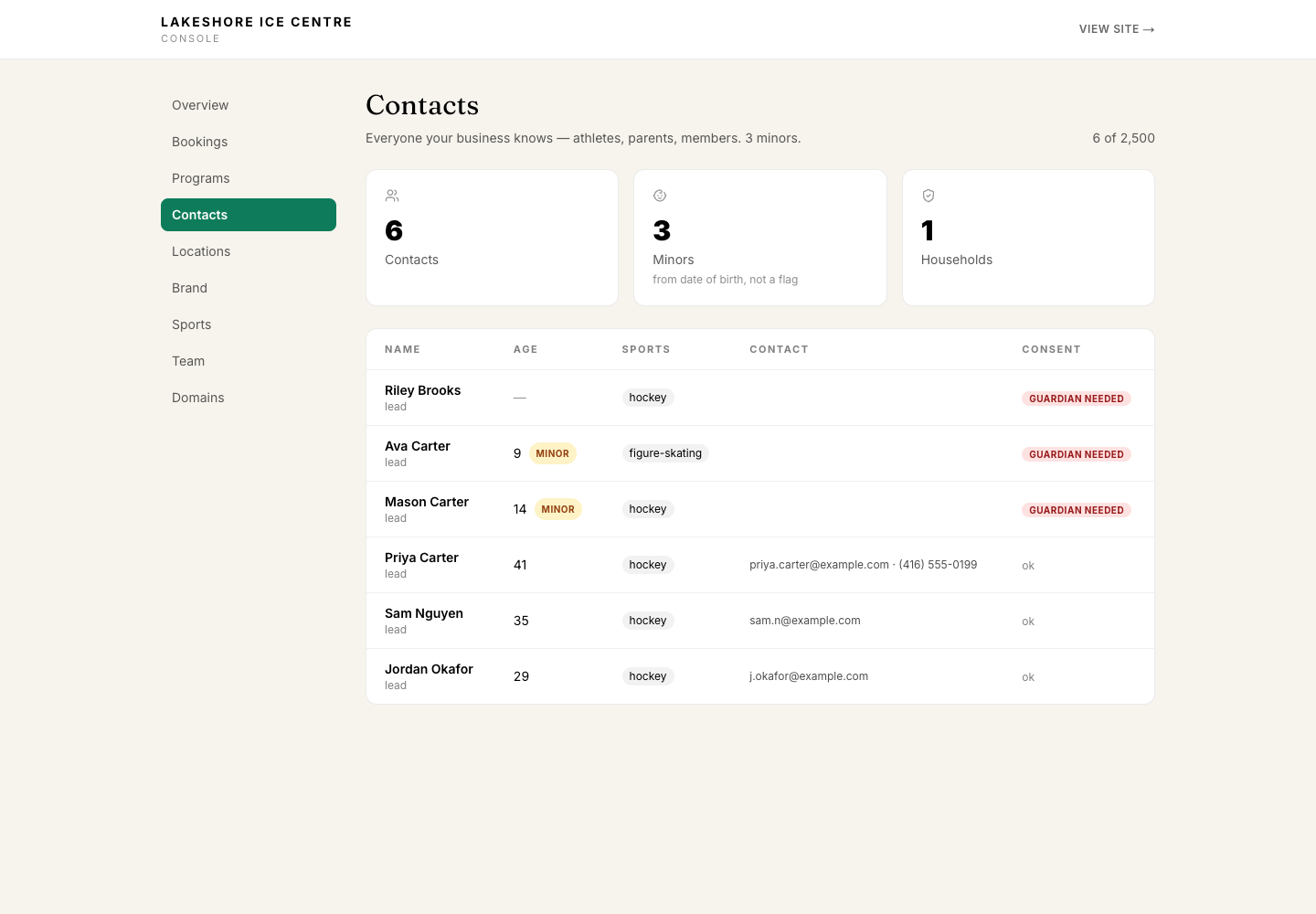
Contacts, with age and consent derived
Minor status comes from the date of birth and the tenant's jurisdiction. A contact with no date of birth is treated as a minor on purpose.
Step 6
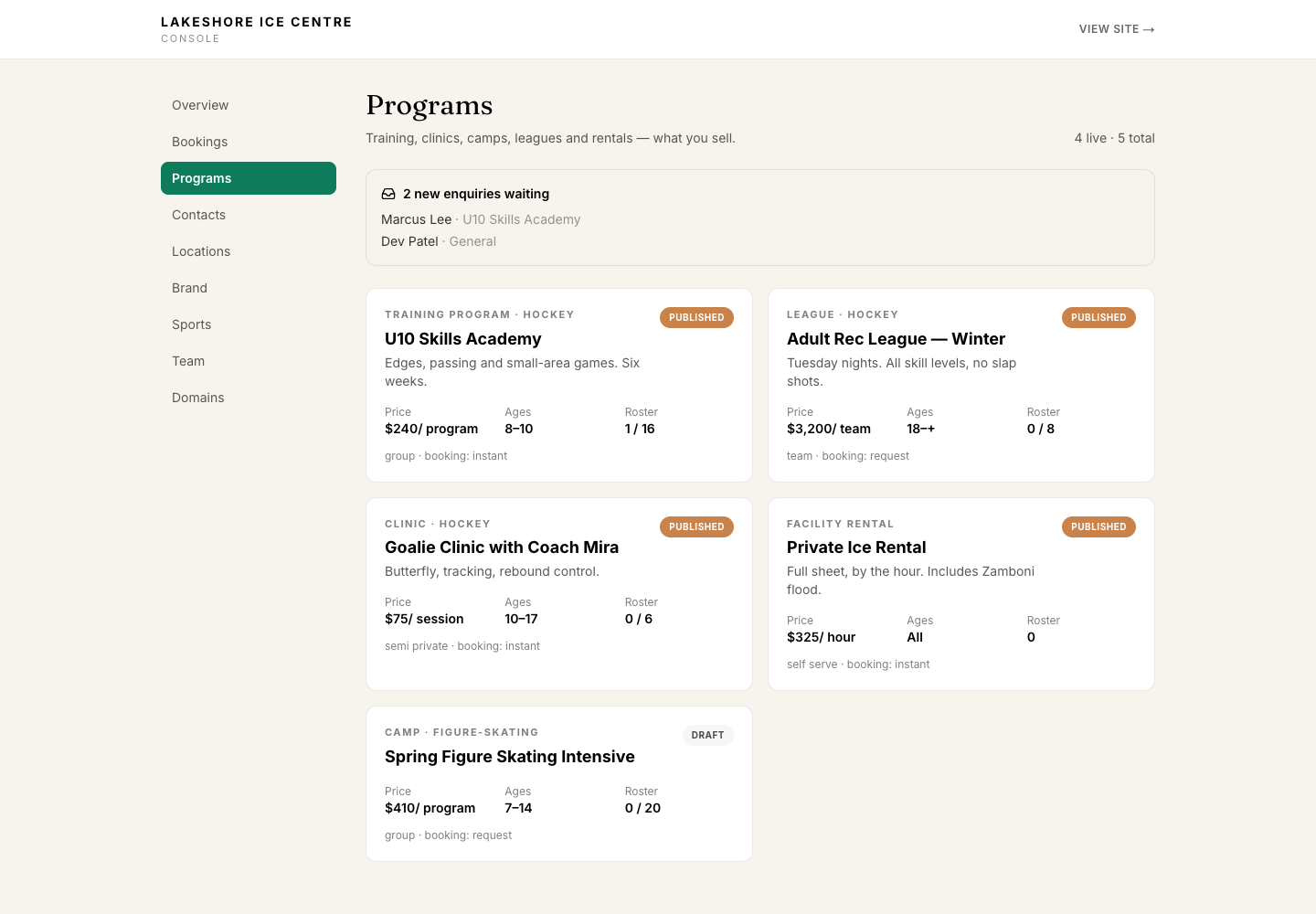
Programs and enquiries
Every booking mode — instant, request, external, contact — with roster counts. New enquiries wait at the top; a draft camp is not public.
Book a walkthrough
Bring your building. We’ll set it up while you watch.
Thirty minutes on a call. Tell us about your sites, your sports and what you run today, and we’ll walk through how it lands in GameOn OS.